The short answer
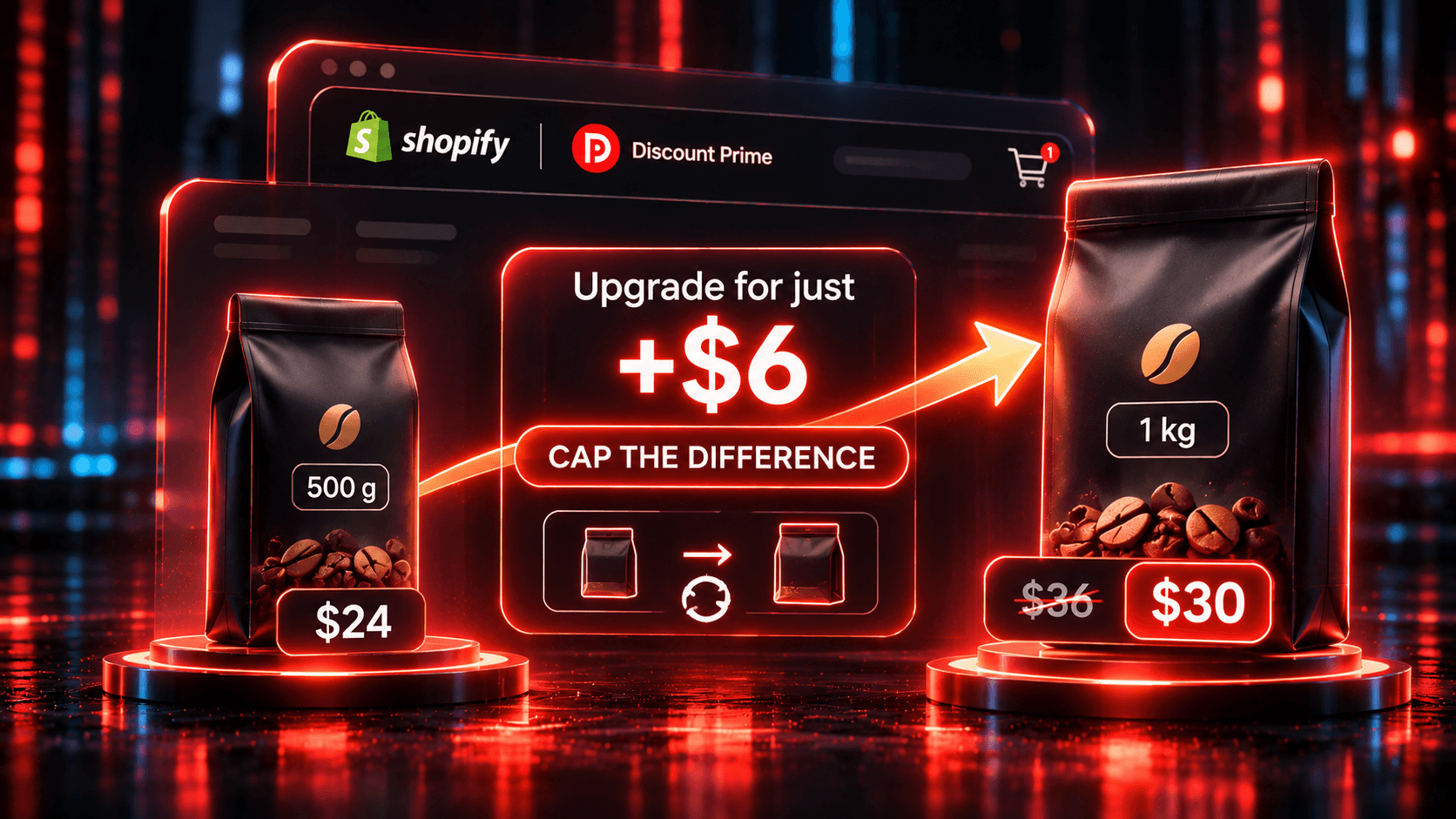
To upsell a bigger size or a premium version on Shopify, use an upgrade offer that swaps the line the customer is buying and shows the extra cost as a single number. Discount Prime fits because its Upsell campaign (from Prime, $49.90/mo) replaces the line with a better product or bigger variant, and its Cap the difference incentive promises the customer pays at most $X more.
Swapping is not rare, as the table shows. What separates these apps is when the swap happens and how they state the price.
App | Rating · Reviews | Price | How it handles an upgrade | Keep in mind |
|---|---|---|---|---|
Discount Prime | 5.0 · 20 | Free Starter does not include Upsell. Prime $49.90/mo; Ultimate $99.90/mo for Smart ladders | Swaps the line before payment, from a product page banner or cart swap card with undo. None, % off, $ off or Cap the difference, on swapped lines. Downsells blocked | No post-purchase or checkout placement. Triggers are specific products. Better product swaps add one fixed variant |
Aftersell | 4.9 · 1,118 | Free for development stores; $34.99 to $79.99/mo | Replacement Upsell on the post-purchase page: refunds the original line and charges for the replacement, with a discount you set | In beta and enabled by support. The target must match the purchased variant exactly. Checkout upgrades need Shopify Plus. A cap on the difference is not stated |
Candy Rack | 4.9 · 267 | Free for trial and development stores; $29.99 to $59.99/mo on the plans shown, by order volume | Product upgrade (true upsell), which its site describes as a swap for a better or bigger item. 8 placements. Percentage or fixed discount | A cap on the difference is not stated. The help pages we read do not detail how the cart line changes |
ReConvert (Upsell.com) | 4.8 · 3,132 | Free up to 50 orders or $50 upsell revenue; $9.99 to $39.99/mo on the plans shown, by order volume | Offers on the product page, cart, checkout and thank you page, plus one-click post-purchase funnels. Swap of the current line: not stated on the listing | Pricing method for an upgrade: not stated on the listing. Checkout upsells need Shopify Plus |
Selleasy | 4.9 · 2,769 | Free for 5 campaigns; $9 to $59/mo | Add-ons, frequently bought together, cart, checkout and post-purchase offers, with a percentage or fixed discount. Swap of the current line: not stated on the listing; "Subscription upgrade" is listed | Checkout upsell needs Shopify Plus and the Pro plan |
Ratings, reviews, and prices from each app's Shopify App Store listing, as of November 2026. Disclosure: Discount Prime is our app.
Which one fits:
You want to promise the extra cost before payment, on a bigger size or a premium product: Discount Prime
You want the swap after payment, as part of a post-purchase funnel, and can work with a beta: Aftersell
You want upgrade and add-on offers in many placements, including an add-to-cart pop-up: Candy Rack
You want add-on offers or one-click post-purchase funnels on a small budget, and do not need a swap: Selleasy or ReConvert
Upsell or cross-sell: what happens to the line
A cross-sell adds an accessory next to the item. An upsell replaces the item, so the customer ends with one better product instead of two.
That changes the question in the customer's head. A cross-sell asks "would you also like this?" An upgrade asks "would you rather have this?" The second question has one obstacle: the extra cost. So the way you state that cost is most of the offer.
Why a stated difference is easier to accept
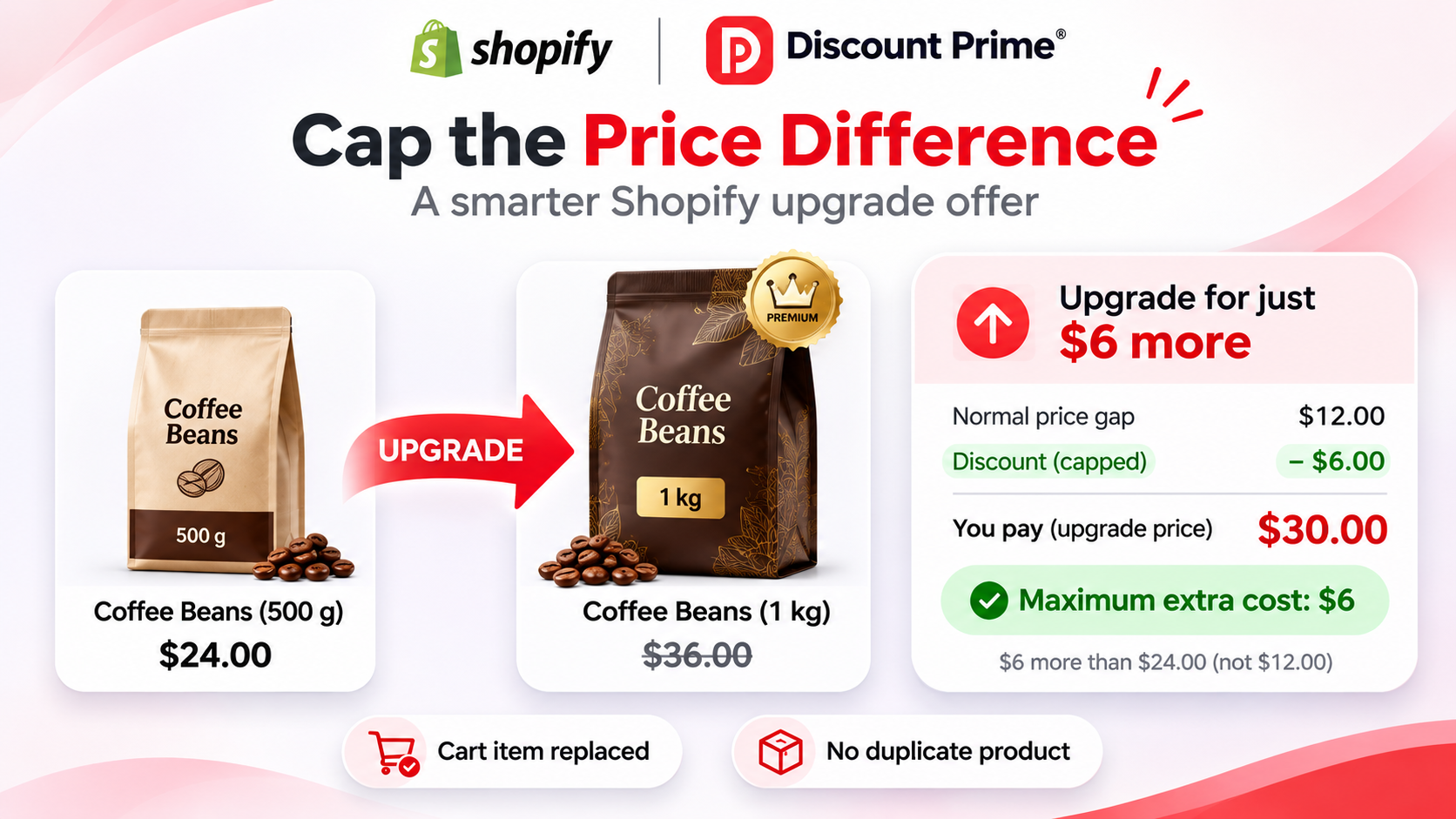
Take a coffee roaster. All prices and costs here are illustrative assumptions, not store data.
500 g bag: $24, unit cost $8, gross profit $16
1 kg bag: $36, unit cost $12, gross profit $24
Price gap: $12
Two offers to someone with the 500 g bag in the cart:
"15% off the 1 kg bag." That is $5.40 off. The bag costs $30.60, which is $6.60 more than the 500 g bag.
"Upgrade to the 1 kg bag for at most $6 more." The incentive is $6. The bag costs $30.
The two cost you nearly the same: 60 cents apart per upgrade. The percentage needs arithmetic on a price they may not have seen. The cap answers the one question they have: how much more this costs.
This is reasoning, not a measured result. We have no conversion data showing one wording beats the other, so treat it as a hypothesis and test it on your own store.
The four incentive choices, with the math
Discount Prime has four incentive settings, and each applies only to swapped lines. Someone who buys the 1 kg bag directly still pays $36.
Incentive | Customer pays | More than the 500 g bag | Your cost per upgrade | Gross profit vs the 500 g sale |
|---|---|---|---|---|
No incentive | $36.00 | $12.00 | $0 | +$8.00 |
% off upgrade (15%) | $30.60 | $6.60 | $5.40 | +$2.60 |
$ off upgrade ($6) | $30.00 | $6.00 | $6.00 | +$2.00 |
Cap the difference ($6) | $30.00 | $6.00 | $6.00 | +$2.00 |
No incentive is the default, and it earns the most per upgrade.
$ off and Cap the difference look identical until a price moves. Say the 1 kg bag goes up to $40, with its cost unchanged:
Incentive | Customer pays | More than the 500 g bag | Your cost per upgrade |
|---|---|---|---|
% off upgrade (15%) | $34.00 | $10.00 | $6.00 |
$ off upgrade ($6) | $34.00 | $10.00 | $6.00 |
Cap the difference ($6) | $30.00 | $6.00 | $10.00 |
The cap limits what the customer pays, not what the upgrade costs you. A fixed amount holds your cost and lets the customer's gap move. A cap holds the customer's gap and lets your cost move.
Choosing the cap
Three checks keep the cap from losing money.
Stay above the unit cost difference. Here the bags differ by $4, so a $6 cap earns $2 more than the sale it replaces. If your real cost difference were $7, a $6 cap would lose $1 on every upgrade.
Count the people who would have paid full price. Someone who would have bought the 1 kg bag at $36 and swaps instead costs you $6. At +$2 per true upgrade, you need 3 upgrades from 500 g buyers to cover each one. Watch full-price sales of the bigger product while the offer runs.
Check the quantity. The incentive applies to every unit on the swapped line. If a customer raises it to 3 bags, the incentive is $18, and the campaign doesn't cap units per order.
The capped difference case study runs the same math on a $149 and $219 pair of headphones, across five cap levels.
One wording trap: the "$X more" is measured from the trigger's regular price, recorded at the swap. If another campaign takes 10% off the 500 g bag, the customer is paying $21.60. The card still says $6 more, but the 1 kg bag at $30 is $8.40 more than they were paying. Keep the trigger out of other price-cutting campaigns while the offer runs, or change the phrasing to "more than the regular price".
Better product mode or Bigger variant mode
Bigger variant mode climbs an option whose prices increase, usually size. The customer's other choices stay the same, and the product page banner has a Switch button that swaps the line. See the bigger-size case study.
Better product mode offers a different, higher-priced product. The cart swap card swaps the line. The product page banner links to the upgrade's page instead of swapping, and a product added from that page carries no incentive. So if you set an incentive in this mode, use the cart swap card. The swap also adds one fixed variant, so it suits upgrades with a single variant. See the Derby and the Loafer.
Downsells and undo
Downsells are blocked. Every upgrade must be priced above the trigger. Anything at or below it is flagged and must be fixed before you can save. In Bigger variant mode, also watch your sales: a sale that drops a bigger size below a smaller one breaks the ladder at that step.
Undo protects the customer. A toast with an Undo button stays for a window you set from 3 to 30 seconds.
Smart ladders for larger catalogs
On Ultimate, Smart ladders pick the upgrades for you. A rule engine scores candidates of the same product type, priced 1.15x to 3x the trigger, with margin no more than 5 points below it, and in stock. It stores the top 4 as the campaign's upgrade list at activation, so reactivate the campaign to refresh the list. Build one campaign per product family, because one list covers the whole campaign. The formulas run locally on your store's data, and nothing is sent to an external system. See the Smart ladders case study.
How to set it up in Discount Prime
Install Discount Prime. Upsell needs Prime at $49.90/mo, with a 7-day free trial. The free Starter plan does not include it.
Turn on the app embed in your theme editor. (Any plan.)
Create an Upsell campaign (Prime). Start from a scenario such as Bigger size (variant) or Capped difference.
Pick the trigger (Prime). Under "When the customer is buying", choose specific products. Rule triggers such as collection or vendor are not available yet.
Choose the mode and upgrades (Prime). Pick Better product or Bigger variant, then Manual picks (up to 6) or a Pool. Smart ladders need Ultimate at $99.90/mo, with a 14-day free trial. Fix anything flagged as a downsell.
Set the incentive (Prime). Choose No incentive, % off upgrade, $ off upgrade, or Cap the difference, and read the live storefront copy preview.
Set how it combines (Prime). Best deal wins is the default, or choose Stack on product discounts.
Place it (Prime). Choose Product page banner, Cart swap card, or Both, then Save. Under Widgets, then Upsell, set the undo window and texts. It is one of 13 storefront widgets.
Before launch, run a test cart: swap, undo, buy the upgrade directly, and raise the swapped line to 2 units.
Where to go next
Install Discount Prime on the Shopify App Store and start the 7-day free trial of Prime.