The short answer
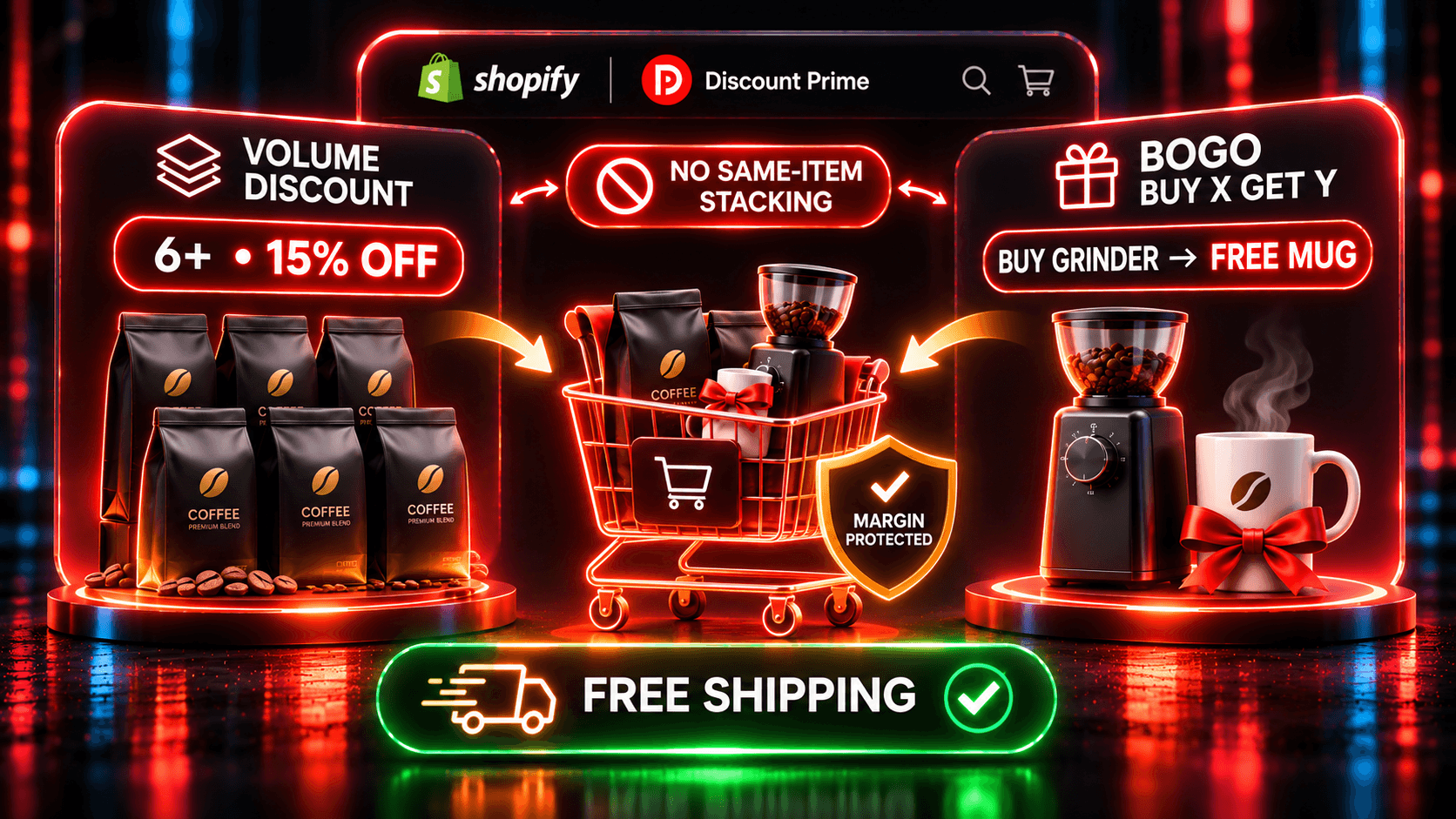
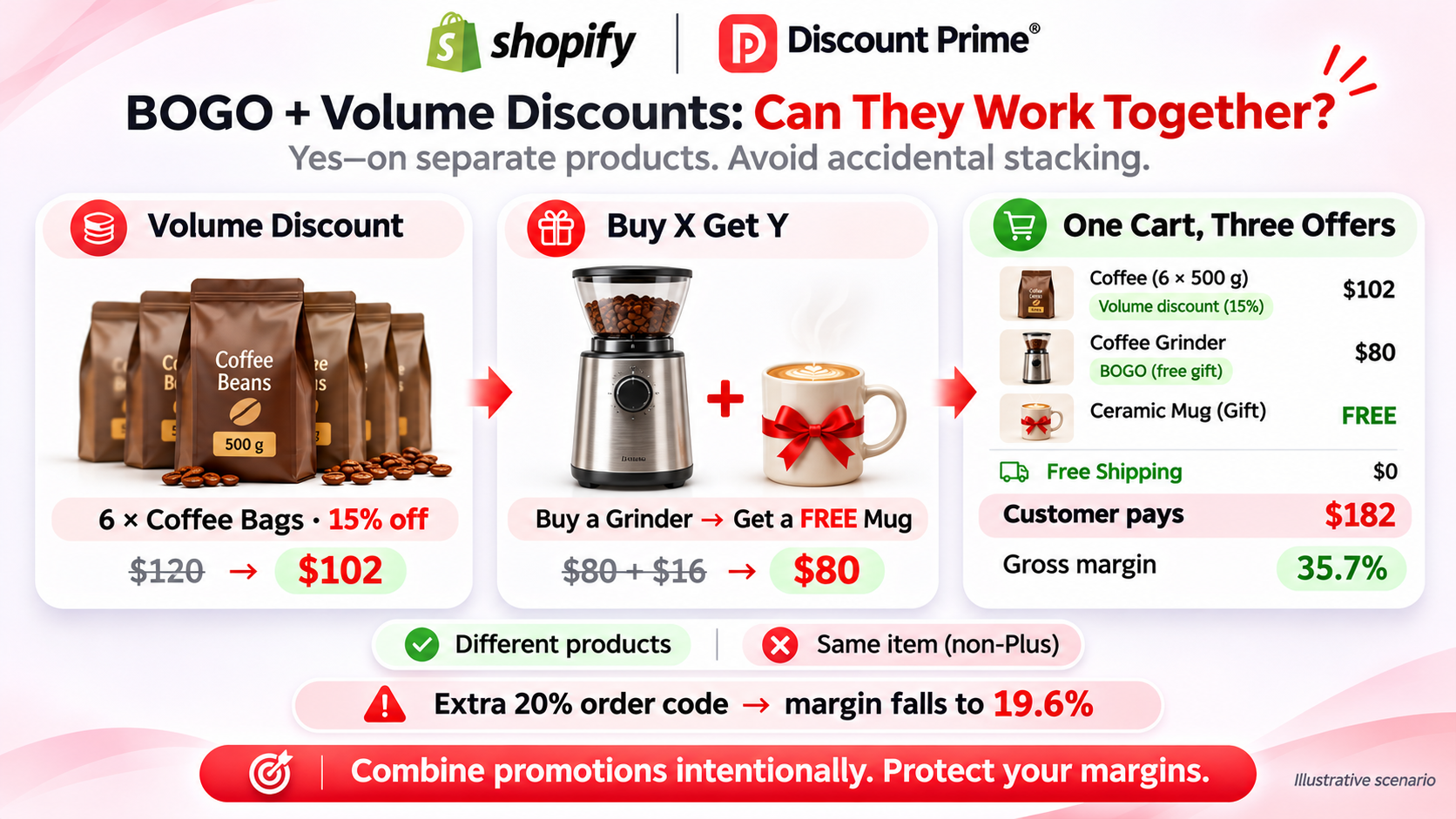
You can run BOGO and volume discounts together on Shopify, but on separate items. On Basic, Grow, and Advanced plans, Shopify makes every product in a Buy X Get Y discount ineligible for further product discounts, so one item cannot get both a BOGO reward and a volume tier. Only Shopify Plus can combine two product discounts on the same line.
Free shipping is a different class and combines with product discounts on any store. A discount code combines with product discounts only on eligible stores, and only if you allow it on both sides. That last case is where most unplanned stacking comes from.
In Discount Prime, each product sits in one product price campaign at a time, conflicts are flagged before activation, and Buy X Get Y and free shipping follow the Combinations settings you choose in Shopify.
Who this applies to
This guide is for Shopify merchants who want more than one promotion live at once, for example:
A consumables store with quantity breaks on refills and a BOGO on a hero product.
A brand running a bundle and a volume tier in the same season.
Anyone adding free shipping over a threshold on top of product offers.
Wholesale and retail sellers who share one catalog. B2B pricing is its own campaign type in Discount Prime; see wholesale pricing.
If you only run one offer at a time, you do not need most of this. Read how Shopify discount combinations work instead.
How Shopify decides what combines
Shopify's discount combinations page puts every discount in one of three classes: product, order and shipping. Discounts do not combine on their own. You set it per discount, in its Combinations section.
What can combine, by store type:
Combination | Who can use it |
|---|---|
Product + free shipping | Every store |
Order + free shipping | Every store |
Product + product on separate items | Every store |
Product + order | Eligible stores (Checkout Extensibility, no checkout.liquid customizations) |
Order + order | Eligible stores |
Product + product on the same line item | Shopify Plus only, with reciprocal tags |
Three rules from the same page matter most for BOGO plus volume:
Buy X Get Y blocks the item on non-Plus plans. "All products that are part of a Buy X get Y discount are ineligible for further product discounts." On Plus, product discounts can combine on the same line item when both allow it (reciprocal tags).
Calculation order is fixed. Product discounts first, then order discounts on the reduced subtotal, then shipping.
When two discounts cannot combine, Shopify applies the best one for the customer's cart. You do not get an error. You get the bigger discount.
There are also hard limits: up to 25 active automatic discounts, app discounts included, and up to 5 product or order codes plus 1 shipping code per order.
A worked example: one cart, three offers
Take a fictional coffee store, with illustrative numbers. Three offers are live:
Volume tier on coffee bags: 10% off at 3+, 15% off at 6+.
Buy X Get Y: buy a grinder, get a mug free.
Free shipping over $100. Shipping costs the store $9.00 on this order.
The cart:
Item | Qty | List | Cost per item | Offer |
|---|---|---|---|---|
Coffee bag | 6 | $20.00 | $9.00 | Volume tier, 15% |
Grinder | 1 | $80.00 | $48.00 | Triggers Buy X Get Y |
Mug | 1 | $16.00 | $6.00 | Reward, free |
Total | $216.00 | $108.00 |
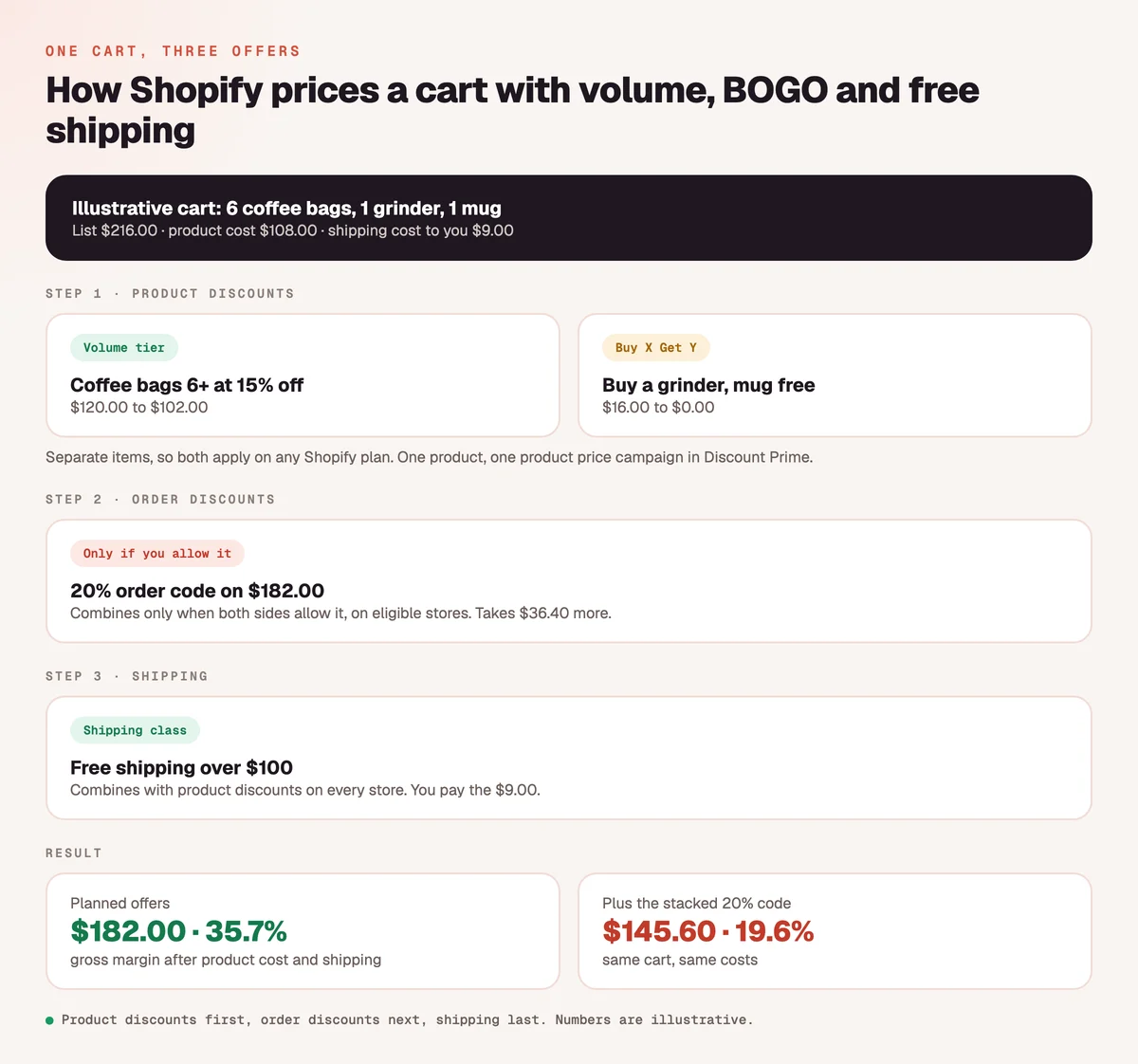
Each offer touches different items, so all three apply to any plan. Gross profit below is price minus Cost per item, minus the $9.00 shipping you pay. Payment fees are not included.
Setup | Customer pays | Gross profit | Gross margin |
|---|---|---|---|
No offers (customer pays shipping) | $216.00 | $108.00 | 50.0% |
Volume tier only | $198.00 | $90.00 | 45.5% |
Volume + free mug | $182.00 | $74.00 | 40.7% |
Volume + free mug + free shipping | $182.00 | $65.00 | 35.7% |
All of the above + 20% order code that combines | $145.60 | $28.60 | 19.6% |
The planned promotion keeps a healthy 35.7%. The damage comes from the fourth offer nobody planned for this cart: a 20% welcome code set to combine with product discounts. It takes 20% of the $182.00 subtotal ($36.40) and cuts the margin almost in half.
Now try applying both offers to the coffee bags: a 15% tier and "buy 2 bags, get 1 free". On a non-Plus store, Shopify will not apply both to the bags. The customer gets one of them, and you may not control which. Test it before launch, or move one offer to a different product.
To test your own numbers, use the Discount Profit Calculator.
Three patterns that work
1. Split the catalog. Put volume tiers on products people buy in quantity, like refills, consumables and packs. Put BOGO on a hero product or on items you want to move. Each product lives in one offer, so nothing collides, and each offer does the job it is good at. This is the cart above.
2. Split the calendar. Run the volume tier as the evergreen offer and schedule BOGO for a weekend or a launch. Discount Prime campaigns take a start and end date. A product that sits in a scheduled BXGY still follows Shopify's rule while that campaign is live, so check which items overlap during the window.
3. Add free shipping as the cart-level incentive. If you want a reason to grow the whole basket, use a free shipping threshold rather than an order code. It combines with product discounts on every store, it is easy to understand, and you can cost it exactly. For threshold math, see the free shipping threshold playbook.
A note on spend tiers. Discount Prime's tiered cart-spend discount gives a percentage off each item once the cart reaches a spend level, for example 15% off each item at $100. Because it discounts the items, treat it as a product-level offer when you plan overlaps, and test it in a real cart next to any BOGO.
Bundles and volume pricing in the same store
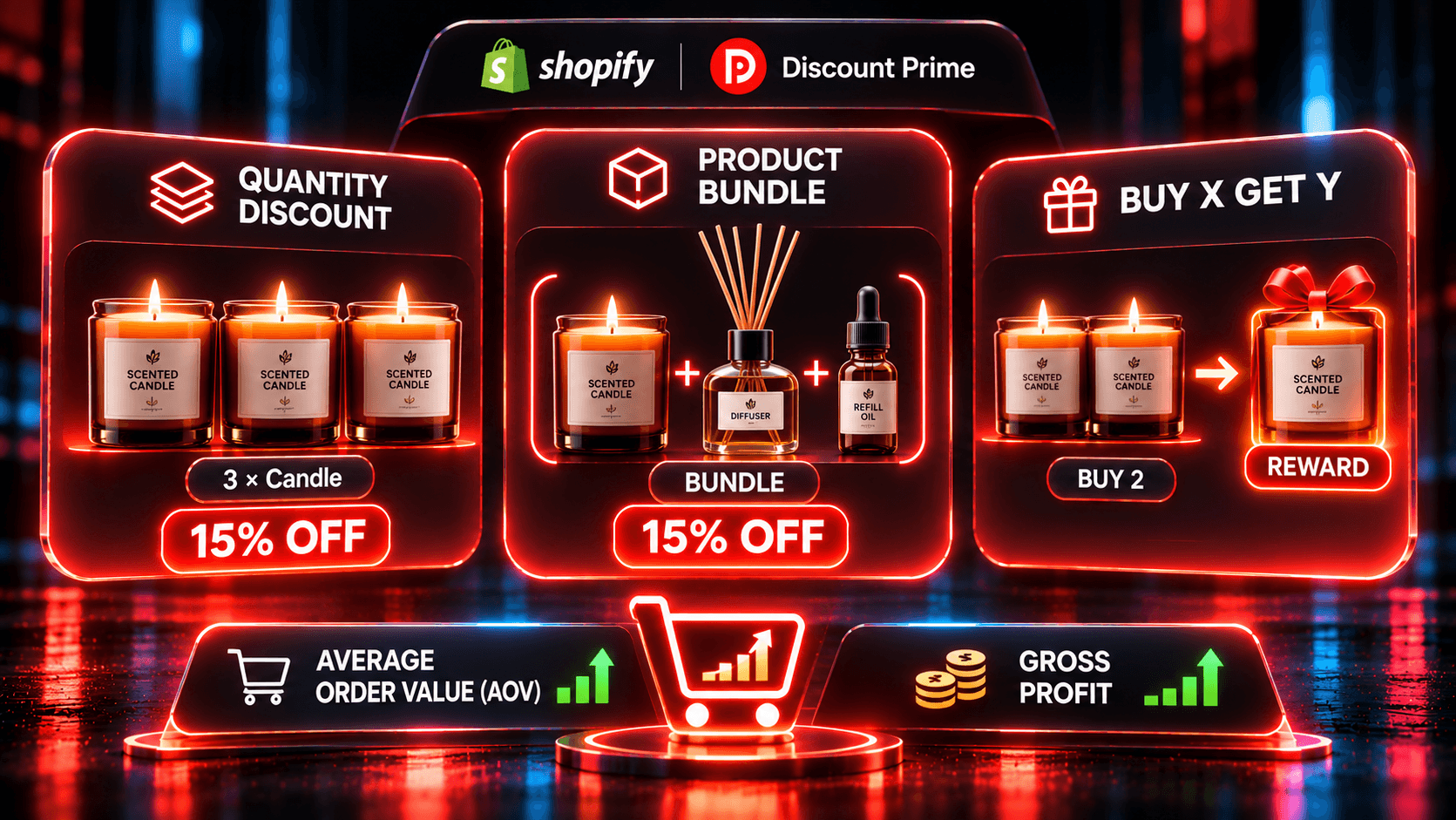
A bundle adds a fourth kind of overlap: the same item can be in a set and in a volume or sale campaign. Discount Prime's Product Bundle handles this per bundle:
Best deal wins (default). Each line gets the larger of the bundle share or its other Discount Prime discount, never both.
Stack on product discounts. The bundle discount comes off the already discounted price. Use it when the extra saving is deliberate and you have checked it against cost.
Bundles can also carry a minimum-margin floor based on each variant's Cost per item. It limits the bundle's own share of the discount. The full example, including a stacked cart that sells below cost, is in do bundle discounts stack with other discounts.
What Discount Prime checks, and what it leaves to Shopify
It helps to know exactly where the guardrails are:
Situation | Who decides | What happens |
|---|---|---|
Two product price campaigns on the same product (flat, bulk price update, volume, tiered) | Discount Prime | Flagged before activation. Move all to the new campaign, keep them where they are, or choose product by product |
Buy X Get Y next to a volume tier | Shopify combinations | Separate items combine. Same item on non-Plus: Shopify applies one |
Free shipping next to product offers | Shopify combinations | Combines on every store when both sides allow it |
A Shopify code or native automatic discount | Shopify combinations | Combines only as you set it. Not covered by Discount Prime's conflict check |
Bundle on items in another campaign | The bundle's setting | Best deal wins or Stack, plus an overlap notice in the builder |
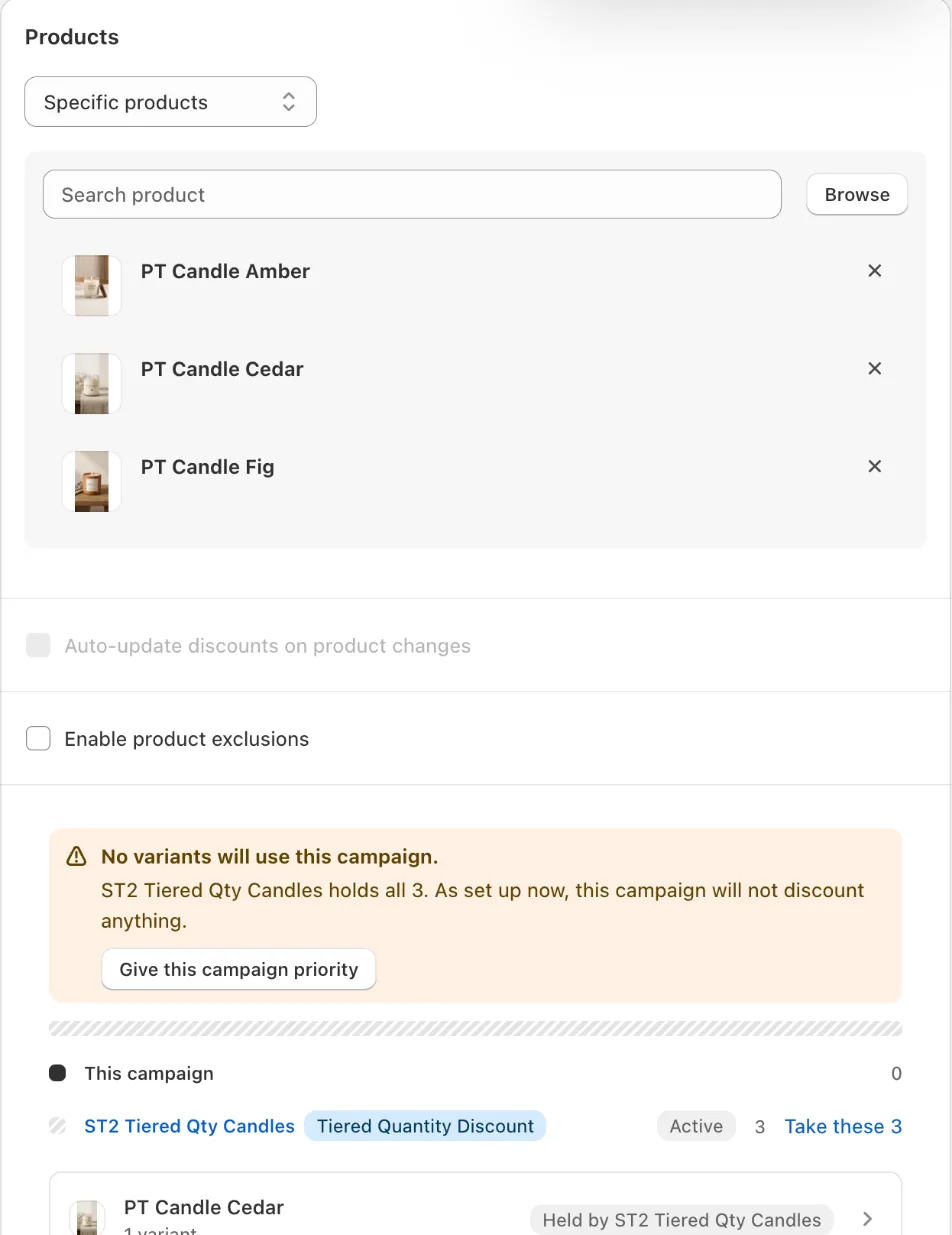
The conflict check is the reason one product can never sit in two price campaigns by accident. Codes are a different matter, so set their Combinations boxes on purpose.
Alternatives and limitations
Shopify native discounts. You can build a quantity-based automatic discount and a Buy X Get Y discount in the Shopify admin, at no cost, with the same combination rules. Native tools do not show a tier table on the product page or report margin per campaign, but if you run one or two simple offers they may be enough.
Shopify Plus. If you truly need BOGO and a volume tier on the same item, Plus allows two product discounts on one line with reciprocal tags. That is a large plan change for one promotion. Splitting the catalog is usually simpler.
Other apps. Many discount apps offer both BOGO and volume tiers. Compare them on overlap handling and margin reporting, not on the feature list alone. Our Shopify discount apps comparison is a starting point. Disclosure: Discount Prime is our app.
Limits of this guide. Combination behavior can differ for checkout. Liquid stores, sales channels other than the Online Store, Storefront API, and POS, and manually added order discounts, which always apply. Test on your own store.
How to set it up in Discount Prime
Install Discount Prime and fill in Cost per item on your products in Shopify. Profit analytics, on every plan, depends on it.
Create the volume tier. A tiered quantity discount is on the free Starter plan: set percent or fixed tiers with a min and max per bracket, and target the consumables.
Start Premium ($19.90/mo, 7-day free trial) for Buy X Get Y and free shipping. In the BXGY campaign, choose the trigger product and one of four reward targets: the same product, the cheapest eligible item, a specific product, or an item from another collection. Choose once per order or repeat for every qualified group.
Keep the products apart. If the app flags an overlap, decide where each product belongs. Do not put the hero product in both offers on a non-Plus store.
Add free shipping over your threshold. Allow it to combine with product discounts.
Review your codes. Open each Shopify discount code and check its Combinations section. Leave product discounts unchecked unless the stack is deliberate.
Test the worst cart. Add items for every offer, enter your most common code, and compare the total with your own version of the table above.
Watch the margin. Profit analytics shows gross profit per campaign and per order, after product cost and shipping.
Sources
Last reviewed: November 7, 2026.
Shopify Help Center, Discount combinations: classes, eligibility, Plus-only same-line rule, Buy X Get Y rule, calculation order, limits.
Discount Prime feature pages: Buy X Get Y, volume discounts, tiered pricing, Product Bundle, and plans.
Worked examples use illustrative numbers, not customer data.
Where to go next
Do bundle discounts stack with other discounts?, with a below-cost example
Ready to run BOGO and volume tiers side by side without guessing? Install Discount Prime, start free on Starter, and try Premium free for 7 days.