Most Shopify stores do not have a discount problem. They have a discount collision problem.
You can run each of your promotions perfectly and still lose margin at the exact moment two of them touch. A customer applies a code on top of an automatic offer, both fire, and the order goes out at a depth you never approved. For years, controlling that on Shopify meant workarounds. In 2023, Shopify shipped a native system for it, and this post explains how that system actually works.
Here is the direct answer. Shopify now sorts every discount into one of three classes, product, order, and shipping, and lets you decide which classes are allowed to stack. Discounts in different classes can combine when both are set to allow it. Two discounts in the same class do not stack; Shopify applies the better one. Once you understand those two rules, most stacking mysteries resolve themselves.
What discount combinations are
Discount combinations are Shopify's built-in rules for whether two discounts can apply to the same order. Every discount is assigned a class and a set of permissions for which other classes it may combine with. At checkout, Shopify honors those permissions, so stacking becomes something you configure on purpose rather than something that happens to you.
Before this system existed, merchants prevented unwanted stacking with blunt instruments: disabling codes during automatic sales, or accepting that certain overlaps would just happen. The combinations system replaces the guesswork with explicit, deterministic rules.
The three classes Shopify combines
Every discount belongs to exactly one of these:
- Product discounts apply to specific items or collections. A volume discount that lowers per-unit price as quantity rises is a product discount. So is a percentage off a collection.
- Order discounts apply to the cart subtotal, for example "15% off your order" or "$10 off orders over $75."
- Shipping discounts apply to shipping cost. A free shipping offer or a reduced-rate shipping deal lives here.
The class is what determines stacking. This is the single most useful thing to internalize: Shopify combines across classes, never within one.
How combinations actually work
Two rules govern everything.
Rule one: same class does not stack. Two product discounts will not both apply to the same item. If a product qualifies for two, Shopify applies the one that benefits the customer more and ignores the other. The same is true for two order discounts or two shipping discounts.
Rule two: different classes stack only with mutual permission. A product discount and a shipping discount can apply to the same order, but only if each one's combination settings allow the other's class. If either side says no, they do not combine. Both toggles have to agree.
That second rule is where most accidental stacking hides. A volume discount and a free shipping offer sit in different classes, so they are eligible to combine. Whether they actually do is your decision, expressed through each discount's combination settings. Leave the settings on their defaults and you may be permitting a stack you never priced for.
A worked example of a collision
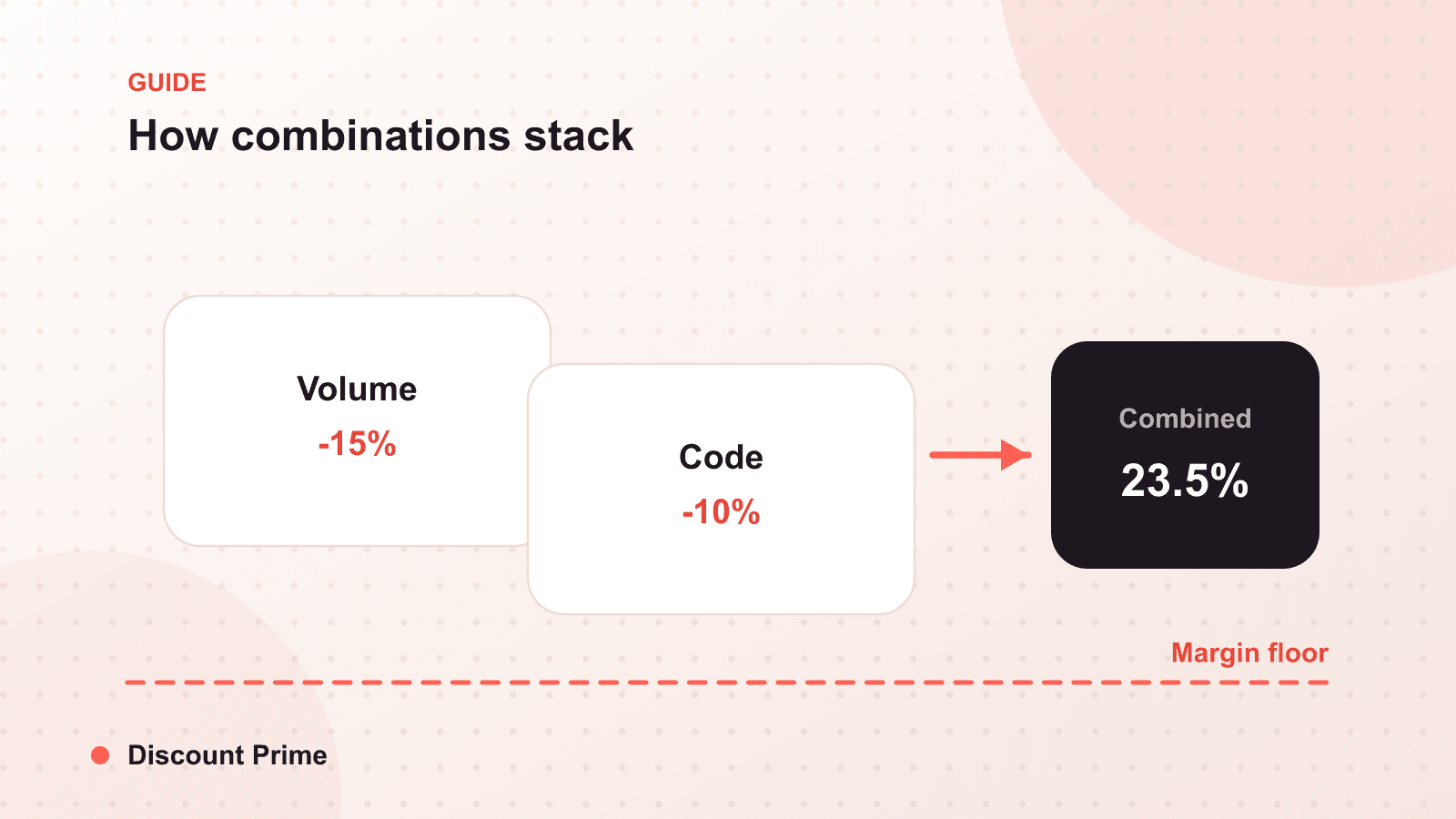
Say you run a volume discount, buy 6 units at $16 each instead of $20, a product-class offer. Separately, you run a "15% off your order" code, an order-class offer. During a busy week, both are active.
A customer buys 6 units and applies the code. If both discounts are set to allow cross-class combinations, here is the stack: 6 units drop from $120 to $96 at the volume tier, then the 15% order code takes another $14.40 off, landing at $81.60. Your intended volume price was $96. The actual price is 15% below that.
Neither discount is wrong. The collision is. If your product costs $12 per unit, your 6-unit cost is $72, so at $96 you held a healthy margin and at $81.60 you gave most of it away. The fix is not to delete either offer; it is to set the volume discount to disallow combining with order discounts, so the two never stack unless you decide they should.
How to set combination rules that protect margin
Decide combinations per discount, not by default. For each active discount, open its combination settings and choose deliberately which classes it may join. Defaults are a guess; your margin is not.
Protect your deepest offers. Your steepest product discount is usually the one you least want an order code stacked on. Turn combining off for those first.
Exclude low-margin products from stackable offers. If a product barely clears cost at one discount, it cannot survive two. Keep those items out of any offer set to combine.
Test the worst case. Build a cart that qualifies for every active discount at once and check the final price. The collision you find in a test cart is the one you did not find on Black Friday.
Setting this up with Discount Prime
Because Discount Prime is built on Shopify Functions, its discounts participate in the native combinations system rather than fighting it. A volume discount you create is a well-behaved product-class discount that respects the combination settings you choose, and it coexists cleanly with order and shipping discounts you run alongside it. If you are still deciding how to structure the underlying offers, our complete guide to volume discounts and our breakdown of quantity breaks versus volume discounts cover the mechanics. You can find the app on the Shopify App Store.