The short answer
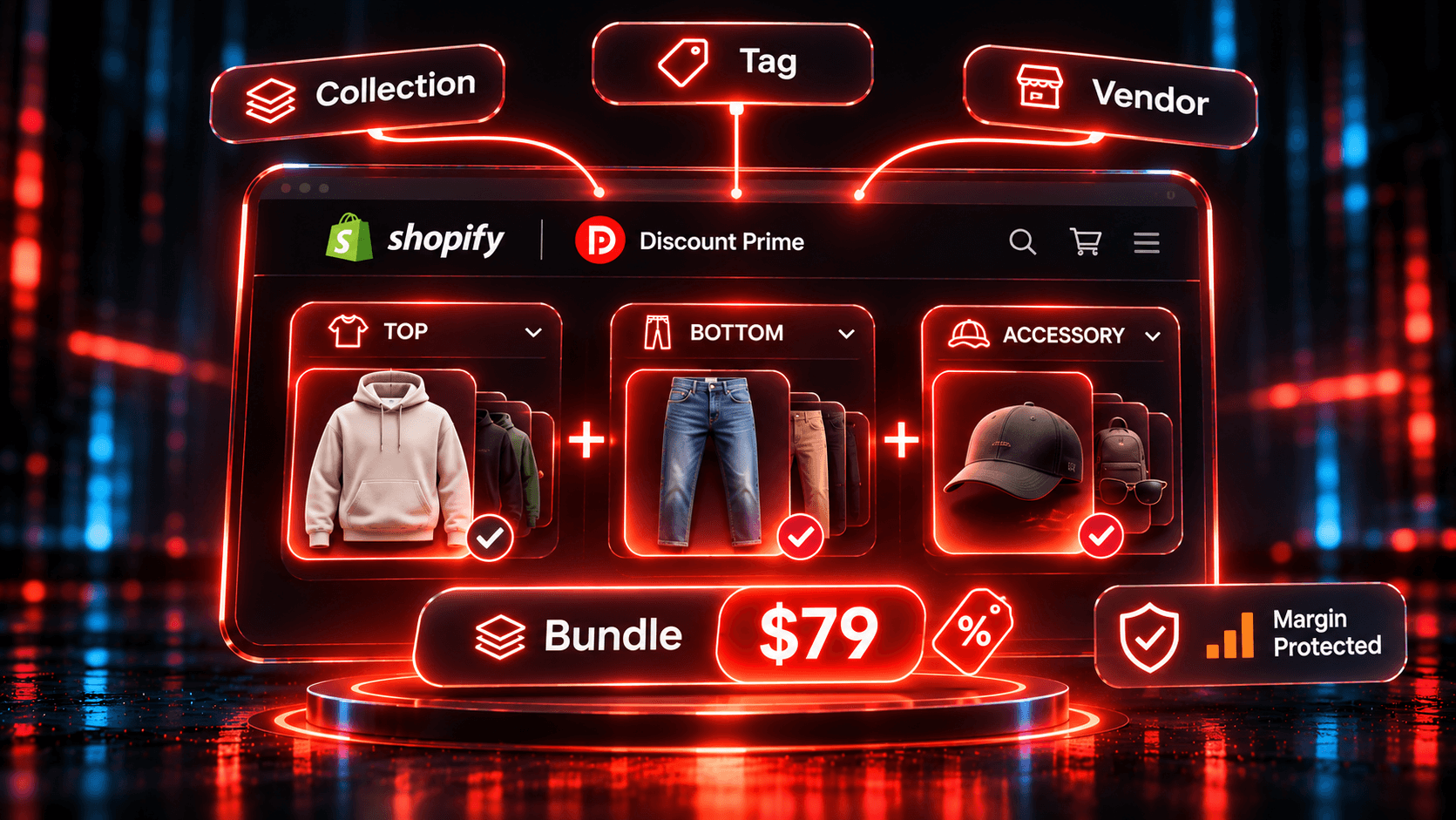
To keep a Shopify mix and match bundle current, build it from slots that follow a rule rather than a hand-picked product list. Discount Prime fits because a Product Bundle takes up to 6 slots, each filled from a collection, tag, vendor or product type on the Prime plan ($49.90/mo), so new products join the set with no campaign edit.
| App | Rating · Reviews | Price | How it handles mix and match by rule | Keep in mind |
|---|---|---|---|---|
| Discount Prime | 5.0 · 20 | Starter is free but has no bundles. Bundles from $19.90/mo, rule slots $49.90/mo, set ladder $99.90/mo | Up to 6 slots from a collection, tag, vendor or product type. Repeat per set and a cost-based margin floor | Few reviews so far. Rule-based sets run as virtual sets and cannot be published as Combo products |
| Fast Bundle | 5.0 · 3,628 | $19 to $139/mo by monthly bundle sales. Free on development stores | Mix & Match sections from a product list or one collection per section, with set price and other discounts | Tag, vendor and product type sections are not documented |
| Easy Bundles | 4.9 · 1,508 | Free up to $500 of monthly bundle sales (not on Shopify Plus or Advanced). $29 to $99/mo | Guided mix and match and build a box, single or multi-step, with subscription bundles | Rule-based steps are not documented on its listing |
| Kaching | 5.0 · 6,609 | $14.99 to $59.99/mo by additional revenue. Free on development stores | Lists mix-and-match bundles. Products or collections can be eligible for a volume discount | Per-slot rules and repeat per set are not documented |
| Wide Bundles | 4.8 · 324 | $14.99 to $24.99/mo by additional revenue. Free on development stores | Built around quantity breaks. Its listing also names Mix & Match Bundles, and our compare page records collection pools | One-from-each-group slots are not documented, so treat it as a quantity break app |
Ratings, reviews and prices from each app's Shopify App Store listing, as of November 2026. Disclosure: Discount Prime is our app.
"Not documented" means we did not find it in the listing or help pages we reviewed, not that the app cannot do it. The bundle apps compared page has the wider matrix.
Which one fits:
- Sets defined by tag, vendor or product type, with a margin floor: Discount Prime on Prime.
- Collection-based sections from an app with thousands of reviews: Fast Bundle.
- A guided build-a-box flow or subscription bundles, with a free tier at low volume: Easy Bundles.
- Quantity breaks and built-in A/B testing rather than sets: Kaching or Wide Bundles.
Why hand-picked bundles stop scaling
A mix and match bundle lets the shopper choose the items. Picking those items by hand works for one kit and fails for a changing catalog: every new arrival needs a campaign edit, or it stays out of the deal.
A rule-based slot replaces the list with a condition. "Everything in the Tops collection" stays correct when you add a top next week. "Vendor is Northwind" follows that brand's catalog. The admin shows how many products and variants each rule matches, and whether costs exist for them.
Two shapes of mix and match
- "Any 3 from this collection": one slot with a required quantity of 3. The shopper chooses freely, including three of the same product.
- "One top, one bottom, one accessory": three slots with a required quantity of 1, each from its own collection. This forces the shopper across categories.
Variety cannot be enforced from one pool. Three slots drawn from the same collection can still be filled by three units of one product. To require variety, give each slot a different pool, and keep each product in one pool, because a product matching two slots fills one of them, in slot order. Our any three candles case study works through the one-slot version.
Worked example: any top + any bottom + any accessory = $79
This is an illustrative apparel store, not a customer result. Prices and costs are assumptions, so replace them with your own. Gross profit here means price minus product cost, before shipping and fees.
| Set the shopper builds | Top price / cost | Bottom price / cost | Accessory price / cost | List total | Set cost | Saving at $79 | Gross profit at $79 |
|---|---|---|---|---|---|---|---|
| Cheapest | $28 / $11 | $42 / $18 | $14 / $5 | $84 | $34 | $5 (6.0%) | $45 (57.0%) |
| Typical | $35 / $14 | $55 / $24 | $20 / $7 | $110 | $45 | $31 (28.2%) | $34 (43.0%) |
| Costliest in a capped pool | $40 / $16 | $60 / $26 | $24 / $9 | $124 | $51 | $45 (36.3%) | $28 (35.4%) |
| Costliest in the full catalog | $48 / $20 | $78 / $36 | $34 / $14 | $160 | $70 | $81 (50.6%) | $9 (11.4%) |
The last row is the risk in any fixed-price mix and match. Shoppers can pick the most expensive items. Price the set against the costliest combination, not the typical one.
The fix is to shape the pools. Point each slot at a collection holding the products you accept at that price. That is the capped row: the worst case keeps $28 instead of $9.
Is the set worth selling at all?
Compare the typical set's $34 with what that shopper would have bought anyway:
| Without the offer, the shopper buys | Gross profit | Change with the $79 set |
|---|---|---|
| Top alone | $21 | +$13 |
| Bottom alone | $31 | +$3 |
| Top and bottom | $52 | -$18 |
| All three at list | $65 | -$31 |
The offer earns money when it turns single-item buyers into set buyers, and costs money when it discounts people who would have paid list. Here, each shopper who would have bought all three needs about 2.4 top-alone upgrades to cover the loss ($31 / $13). The Prime fee of $49.90 is covered by 4 top-alone upgrades a month ($49.90 / $13 = 3.84).
Choosing the reward
Discount Prime has five reward types. Same example, with a $7-cost gift in the last row:
| Reward | Typical set: price paid / gross profit | Full-catalog costliest set: price paid / gross profit |
|---|---|---|
| Fixed set price, $79 | $79 / $34 | $79 / $9 |
| % off set, 25% | $82.50 / $37.50 | $120 / $50 |
| $ off set, $25 | $85 / $40 | $135 / $65 |
| Cheapest item free | $90 / $45 | $126 / $56 |
| Free gift (up to 3 gifts) | $110 / $58 | $160 / $83 |
A fixed set price is the easiest offer to advertise and the most exposed to item choice. A percentage scales with the items, so it suits a wide price range. A partial set earns no reward under any of them.
Protecting the margin
Each Product Bundle can carry a floor: "Never let this bundle push an item below a minimum margin", checked against each variant's Cost per item. The floor price is cost / (1 - minimum margin).
With a fixed set price, the saving is spread across the lines in proportion to their value, and the check runs per line at checkout. At a 30% floor:
- Capped pool, costliest set: the tightest line is the bottom, charged $38.23 against a floor of $37.14 ($26 / 0.70). Every line passes and the shopper pays $79.
- Full-catalog costliest set: all three lines breach, with floors of $28.57, $51.43 and $20.00. With the reward reduced, the shopper pays $100.00, not $79.
That protects your profit, at $30 instead of $9, but breaks the advertised $79. Treat the floor as a safety net and the pool as the real control. For how a bundle meets other discounts, see do bundle discounts stack with other discounts.
Bigger orders: repeat and the set ladder
Repeat for every complete set (Prime) rewards each set, and Maximum sets per order caps it. With a maximum of 3, six typical items cost $158 for gross profit of $68. A seventh item pays list price.
The set ladder (Ultimate) grows the reward with sets, in up to 5 steps. The highest step reached applies to every set, so price the step carefully. With "$75 from set 2", two sets cost $150 for gross profit of $60. The second set adds $26, not $34, because the first set also drops by $4.
How to set it up in Discount Prime
- Install Discount Prime and start the Prime plan ($49.90/mo, 7-day free trial). Product Bundle starts on Premium ($19.90/mo, 7-day free trial), with specific-product slots and one set per order. The Starter plan has no bundles.
- Create your pools in Shopify: one collection per slot, holding the products you accept at the set price, with costs filled in.
- Create a Product Bundle campaign and add one slot per category, up to 6. Set Selection type to Collection, Product tag, Vendor or Product type (Prime) and Required quantity to 1.
- Choose the reward: % off set, $ off set, Fixed set price, Cheapest item free, or Free gift (up to 3). For this example, Fixed set price at $79.
- Choose how it applies: Once per order, or Repeat for every complete set with a Maximum sets per order (Prime). Add a set ladder if you are on Ultimate ($99.90/mo, 14-day free trial).
- Set combinations and the floor: Best deal wins or Stack on product discounts, then a minimum margin. For variants with no cost, "Do not discount that item" is the recommended setting.
- Show it: choose the product page layout, such as Auto or Bundle builder, and the cart progress display. It is one of 13 storefront widgets.
- Test before launch: a complete set, a partial set, and your costliest combination. Test each currency you sell in if you use a fixed amount.
Two limits to plan around. Bundles do not apply when the checkout function runs for a discount code, so this offer cannot sit behind a code. A Combo product needs a specific product in every slot, so a rule-based set stays virtual. If you need a real product page, read how to sell a bundle as its own product.
Where to go next
- Product Bundles: every setting explained.
- Shopify bundle apps compared: sources for each app.
- One price for the whole kit: the floor on a fixed set price.
- How Shopify discount combinations work: stacking background.
Install Discount Prime and try rule-based slots on the 7-day Prime trial.