You should be able to say "put every thin-margin accessory on sale" without first building a collection to hold products you already tagged with exactly that fact.
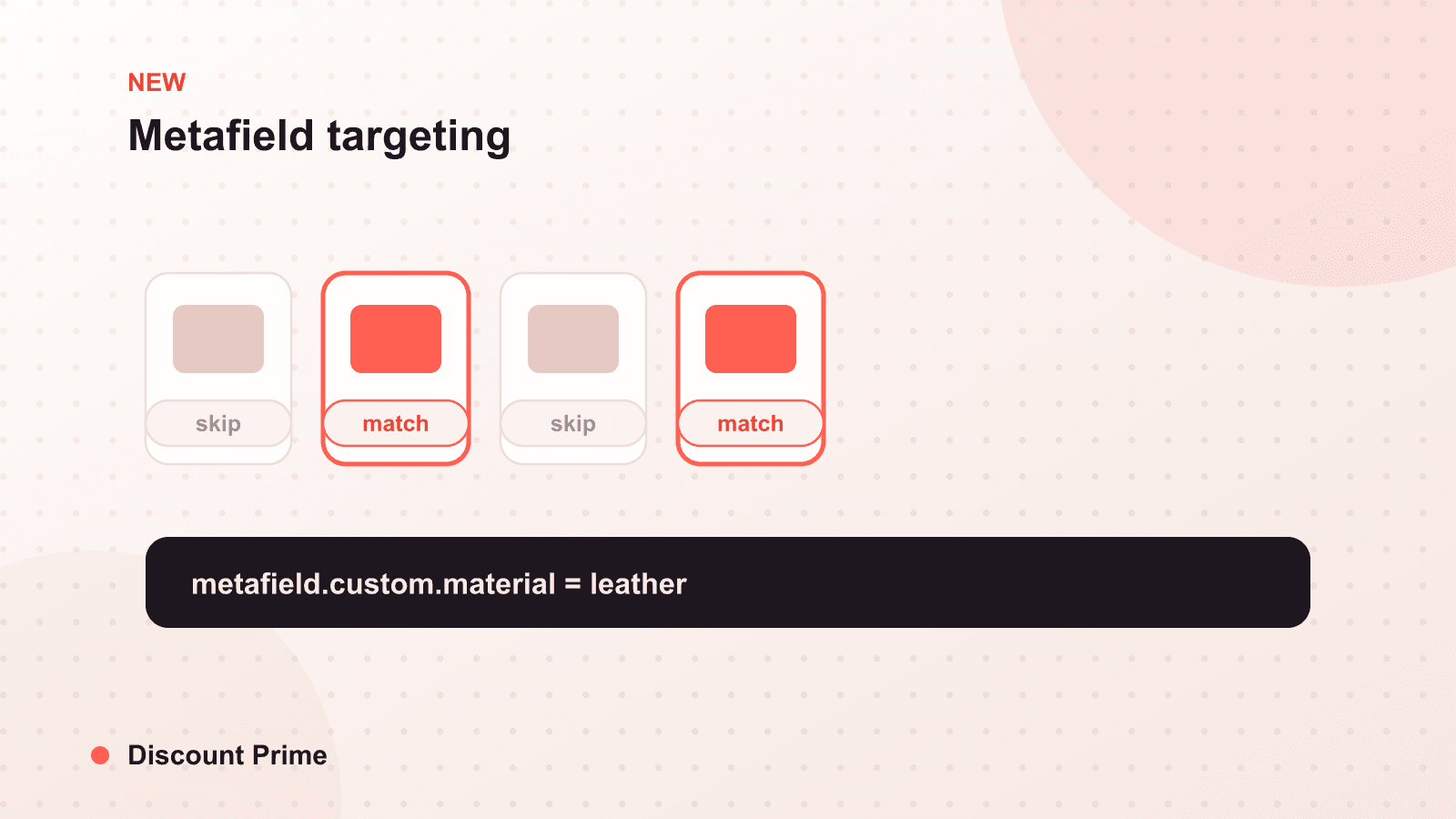
Metafield-based targeting is live in Discount Prime today. You can now point a discount campaign at a Shopify metafield instead of a collection, choose the value you want, and let the discount apply to every product carrying that attribute. No hand-built list, no maintenance, no duplicating information your products already hold. The targeting reads metafields natively at checkout through Shopify Functions, so it stays accurate as your catalog moves.
If you read our concept guide on metafields for merchandising earlier this month, this is the feature that concept was pointing at. Here is what shipped and how to use it.
What metafield targeting does
Until now, targeting a Discount Prime campaign meant choosing products or collections. That is fine when your promotion maps cleanly to a collection, but promotions rarely do. You end up building a throwaway collection to hold "everything from last spring" or "every low-margin SKU," then maintaining it by hand while the real information already lives in a metafield on each product.
Metafield targeting removes that middle step. You pick a metafield by namespace and key, pick a value, and the campaign matches every product where that value is present. Set a campaign to custom.season = "Spring 2025" and it covers your entire spring line, across every category, with nothing to assemble. Set it to custom.margin_band = "thin" and you can carve those items out of a sitewide sale by attribute instead of remembering each SKU.
Because the match happens at checkout against live metafield values, the campaign self-corrects. Add a new product with the right season value next week and it is covered automatically. Change a value and the product drops out. The promotion tracks the data instead of a snapshot of it.
How to set it up
The flow is short if your metafields are already populated.
- Confirm your metafield definitions. In Shopify Admin under Settings, make sure the fields you want to target, such as season, material, or margin band, are defined and filled in on your products.
- Create or edit a campaign. In Discount Prime, choose metafield as the targeting type.
- Select the namespace, key, and value. For example, namespace
custom, keyseason, valueSpring 2025. - Set the discount and, if you want, a guardrail. Attach your quantity tiers or percentage, and pair it with a profit floor so no matched order slips below margin.
- Preview and publish. Check the matched product set before you go live.
If your metafields are not populated yet, do that first. Define the field, bulk-edit or import the values, then come back and target it. The attribute data is the input; the targeting is only as precise as the data behind it.
A worked example
Say you want a 20 percent clearance on last spring's line, but three of those products already run thin. Historically that is a manual collection plus a mental note to exclude three SKUs, which is exactly the kind of note that gets forgotten under BFCM pressure.
With metafield targeting it becomes two rules that maintain themselves:
- Target
custom.season = "Spring 2025"at 20 percent off. - Attach a profit floor so any order that would fall below your margin threshold is stopped.
The season match pulls in the whole line automatically. The profit floor catches the thin items without you listing them. Targeting decides which products; the floor decides how deep. Together they let you be precise about coverage and safe about margin at the same time.
Why we built it on Functions
Reading arbitrary metafields at checkout is not something the native discount engine does, and it is not something Scripts could do well outside Plus. Building it on Shopify Functions means metafield targeting works on standard plans, applies natively in cart and checkout, and coexists with the discount combinations and guardrails you already run. It is the same architecture behind our volume discounts, and the same reason we could add attribute targeting without asking you to change plans or bolt on a workaround.
This also keeps targeting honest about timing. As we covered in scheduled sales, a campaign is only as good as the boundaries around it, and reading live data at checkout means a metafield-targeted sale starts and stops on exactly the products it should, exactly when it should.
Setting this up with Discount Prime
If your product data is structured, metafield targeting turns a half-hour of collection-building into a two-minute campaign. If it is not yet, define your season, line, and margin-band fields, populate them once, and every future promotion gets easier. Metafield-based targeting is available now in Discount Prime through Shopify Functions, on every plan. You can find the app on the Shopify App Store and target your next campaign by what your products actually are.