Most stores plan their BFCM offers. Far fewer plan what happens when two of those offers land in the same cart.
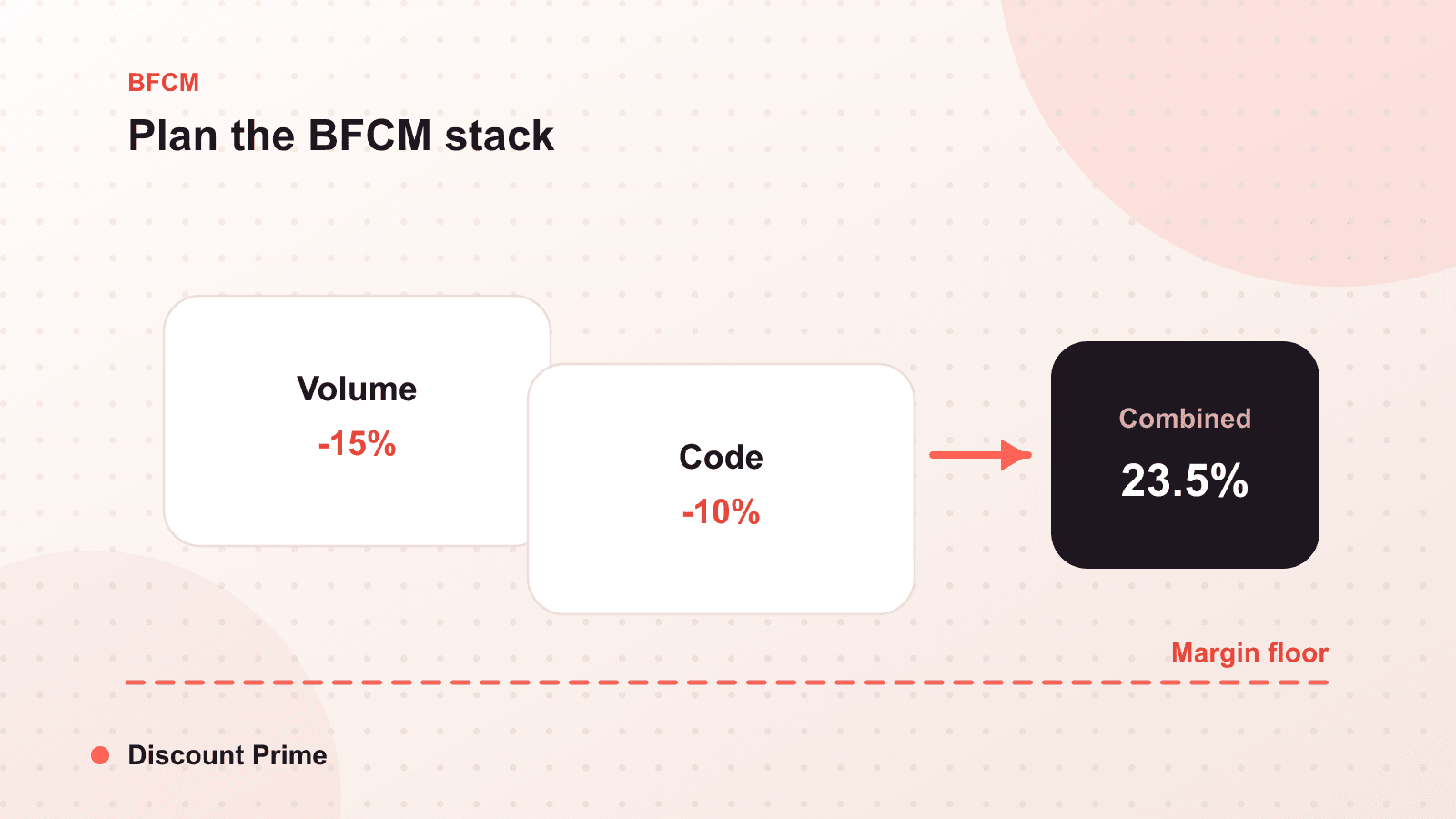
Your BFCM discount stack is the full set of promotions that can apply to one cart at the same time: a volume tier, a free shipping threshold, a sitewide code, maybe a Buy X Get Y. The offers are the easy part. The margin damage lives in the combinations, and the fix is to decide, for every pair of offers, whether they combine, exclude, or take priority. Do it now, in September, on paper, while nobody is watching the traffic graph.
This is the third BFCM we have watched from inside the app, and the pattern holds every year. Stores do not lose margin to the discount they meant to run. They lose it to the second one they forgot was still live.
What a discount stack actually is
On Shopify, discounts fall into classes: product discounts, order discounts, and shipping discounts. A single cart can carry one of each at once when their combination settings allow it. That is by design, and it is useful. A volume discount on a product line, a free shipping threshold on the order, and a percentage code can all coexist. The question is never whether they can stack. It is whether you decided they should.
The trap is that combination is a per-discount setting, and defaults are quiet. An order discount you built in July with "combines with shipping discounts" left on will happily meet your BFCM shipping offer in November, and nobody chose that on purpose.
Build the combination matrix
List every offer that will be live over the weekend down one axis and across the other. For each intersection, write one word: combine, exclude, or prioritize. Here is a worked example for a small store running four offers.
| Offer | Volume tier (buy 3+) | Free shipping ($75+) | Sitewide 15% code | Buy X Get Y gift |
|---|---|---|---|---|
| Volume tier (buy 3+) | Hero offer | Combine | Exclude | Exclude |
| Free shipping ($75+) | Combine | Baseline | Combine | Combine |
| Sitewide 15% code | Exclude | Combine | Fallback | Exclude |
| Buy X Get Y gift | Exclude | Combine | Exclude | Gift track |
Read it like this. The volume tier is the hero, and it can carry free shipping, but it cannot also take the 15% code or trigger the gift, because a customer buying three units at a tier price and then taking 15% off on top is an order you did not price for. Free shipping combines with almost everything, because it lifts average order value and its cost is bounded. The 15% code is the fallback for customers who do not hit the volume tier, so those two exclude each other by definition.
The matrix does one more thing: it forces you to name the hero. Every cell that says "exclude" is a sentence that reads "this offer protects the hero offer." If you cannot say which offer is the hero, you have not planned a stack, you have planned a collision.
The three moves that protect margin
Exclude your thin-margin products from the hero. Carve your lowest-margin SKUs out of the deepest offer. A 20% volume tier on a product that already runs at 22% margin is a sale you lose money to complete.
Cap how many classes can meet. Just because a product, order, and shipping discount can all combine does not mean all three should. Decide the maximum depth for one cart and enforce it in the combination settings, not in your head.
Set a hard floor. This is the one most stores skip. After every deliberate combination is allowed, there is still a long tail of carts you did not model: unusual quantities, currency edges, a returning customer with a stored code. A profit floor blocks any order that a combination pushes below your margin line, so the tail cannot hurt you even when your matrix misses a case.
Model one real cart before you commit
Pick a representative order from last November. Apply your planned stack to it by hand: start from the line price, apply the volume tier, subtract the shipping subsidy, take out transaction and packaging costs. The number left is your real margin on your busiest weekend. If it survives your hero offer plus free shipping, you have a stack. If it does not, you have found the problem in September instead of at 11pm on Black Friday.
Then run it against volume. A dry-run simulation applies your planned discount logic to recent orders and shows what each combination would have cost across your actual order mix, not one hand-picked cart. That is the difference between believing your matrix is safe and knowing it.
Setting this up with Discount Prime
Combination rules, exclusions, and the profit floor all live in the same place, so your volume discounts and your free shipping offer carry explicit relationships instead of inherited defaults. Build the matrix, set the floor, simulate against last year's orders, then freeze it before your first email goes out. For the mechanics of how Shopify resolves overlapping offers, our guide to how combinations actually work is the companion to this one, and when you are ready to sequence the rest of the season, the pre-BFCM checklist picks up where the matrix leaves off.