The dangerous discount problems this week are not the offers you forgot to build. They are the offers you forgot to turn off.
Three days out from BFCM, the highest-return work is not adding anything. It is finding conflicts in what you already set up. Every new offer you create now ships with whatever bugs it has and no time to catch them. But an audit of your existing discounts, specifically how they collide with each other, can save real margin in the next fifteen minutes. That is where your attention should go this week.
We watched this play out last year. The stores that had trouble over the weekend mostly did not have bad offers. They had good offers that quietly stacked with something old, or fired an hour off schedule, or kept a code alive that should have died in September. None of it showed up until the orders did. All of it was catchable in advance. Here is the fast version of that audit.
Fix one: accidental stacking
The most expensive conflict is two discounts applying to the same cart when you meant only one. Shopify controls how product, order, and shipping discounts combine, and if you have not set those rules explicitly, the behavior may not be what you assume.
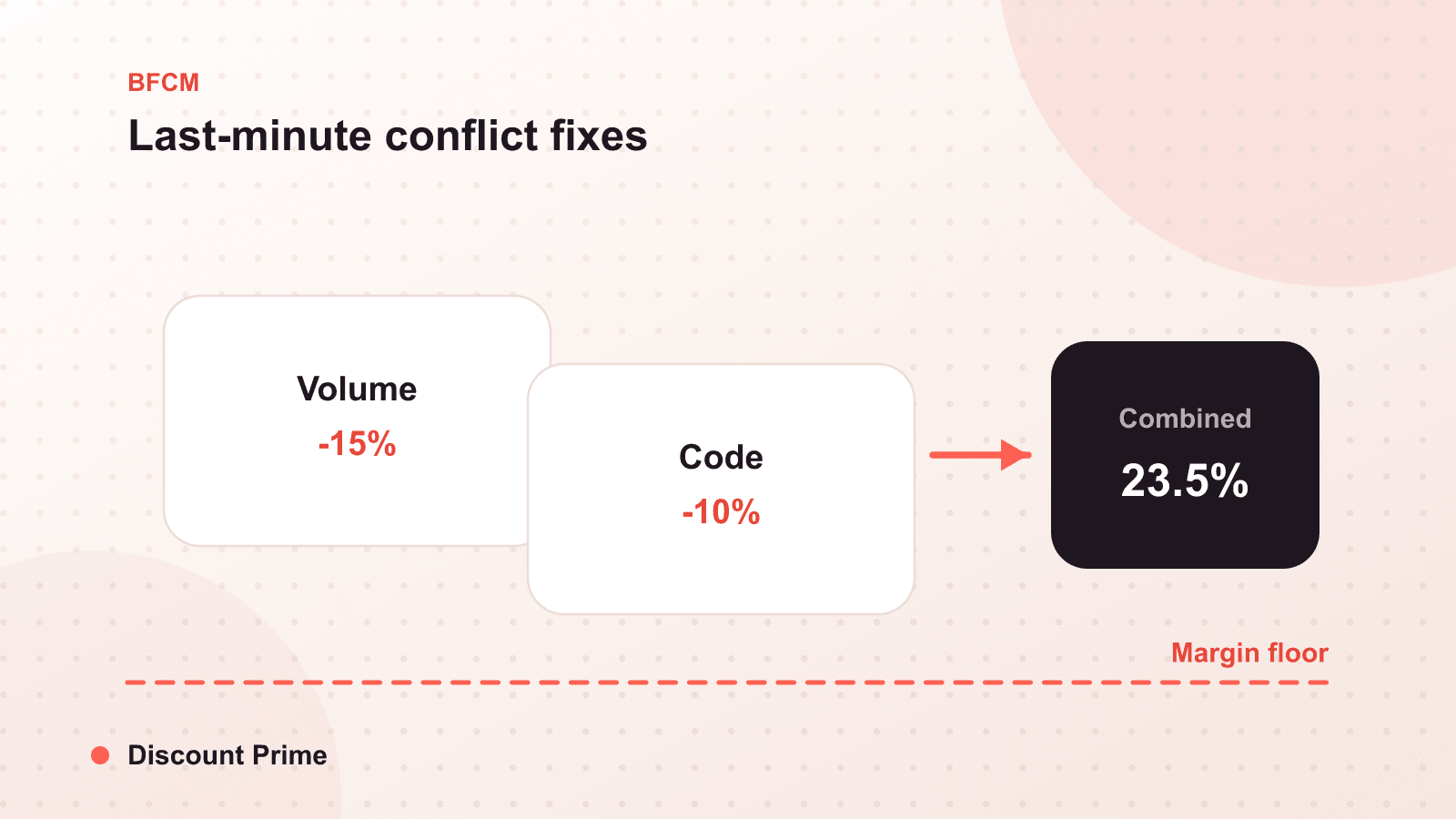
Open an incognito window and build a cart that qualifies for more than one of your active offers at once. Watch what actually applies at checkout, not what you expect to apply. If your BFCM sale combines with a loyalty reward and a free shipping deal, the customer gets all three, and a planned 25 percent becomes something closer to 40 percent plus subsidized shipping. Set the combination rules so your main offer stacks only with what you have deliberately allowed, then retest the same cart.
Fix two: hunt down zombie codes
A zombie code is an old discount code, a welcome offer, a past-sale code, an influencer code from spring, that is still live and still applicable on top of your BFCM offer. Customers share these. Deal sites index them. During the highest-traffic weekend of the year, a forgotten 15 percent code stacking on your sale is a leak that scales with your success.
Go through your active codes and ask one question of each: should this be applicable this weekend? Expire anything that should not. Pay special attention to codes with no end date, because those are the ones that outlive the campaign that created them.
Fix three: close the timezone traps
Confirm that every scheduled start and end time is set in your store's timezone, and that you know what happens to carts open at the boundary. A sale scheduled in the wrong timezone either starts late, losing your earliest and highest-intent traffic, or ends late, teaching your list that your deadlines do not mean anything.
Check the free shipping schedule too. If free shipping is part of your BFCM plan, confirm its threshold sits above your average order value so it lifts baskets instead of subsidizing orders that already cleared it, and that it turns on and off with the rest of the sale rather than lingering.
Fix four: verify the boundaries
Most conflicts hide at the edges, so test the edge carts specifically:
- The multi-discount cart. Qualifies for two or more offers at once. Confirm only the intended ones apply.
- The threshold cart. Sits exactly at your free shipping or volume break boundary. Confirm the discount triggers where you expect.
- The mixed cart. Contains one included product and one excluded product. Confirm the excluded item stays full price.
- The mobile cart. Same tests on a phone. Display and combination behavior can differ from desktop.
- The just-expired-code cart. Try applying a code you just expired. Confirm it is actually rejected.
What to leave alone
Resist the urge to make the offer deeper this week. The margin floor you set calmly weeks ago is more trustworthy than the number a competitor's email tempts you toward on Wednesday night. If a volume discount is your hero offer, it is already rewarding larger baskets, which is the shape you want going into a high-traffic weekend. Do not rebuild it three days out. Audit it, confirm it, and move on.
After the weekend, look at the data
Once the orders land, the question is not how much revenue came in. It is which discounts made money and which quietly did not. Our analytics will show you the blended margin each offer actually earned, including whether any stacking slipped through your audit. That is how this weekend becomes next year's plan instead of next year's guess.
Setting this up with Discount Prime
Discount Prime keeps combination rules, exclusions, and timezone-aware scheduling in one place, which is most of this audit, and the same analytics view that reports the weekend also helps you sanity-check the setup before it starts. If you built your offers weeks ago, run back through the pre-BFCM checklist one more time, and if you are still deciding how deep to go, deep or wide but not both is the short version of the strategy.